
Independent browser software

Practical tools for complicated work.

Offline-first utilities for technical operations, structured decision-making, and high-friction workflows.

Open the tool. Get to work.One portable HTML file. No account, installer, or server required.

Current releases

Each product starts with a specific source of friction, then removes everything that does not help a person complete the task with clarity and control.

Text transformation workbench

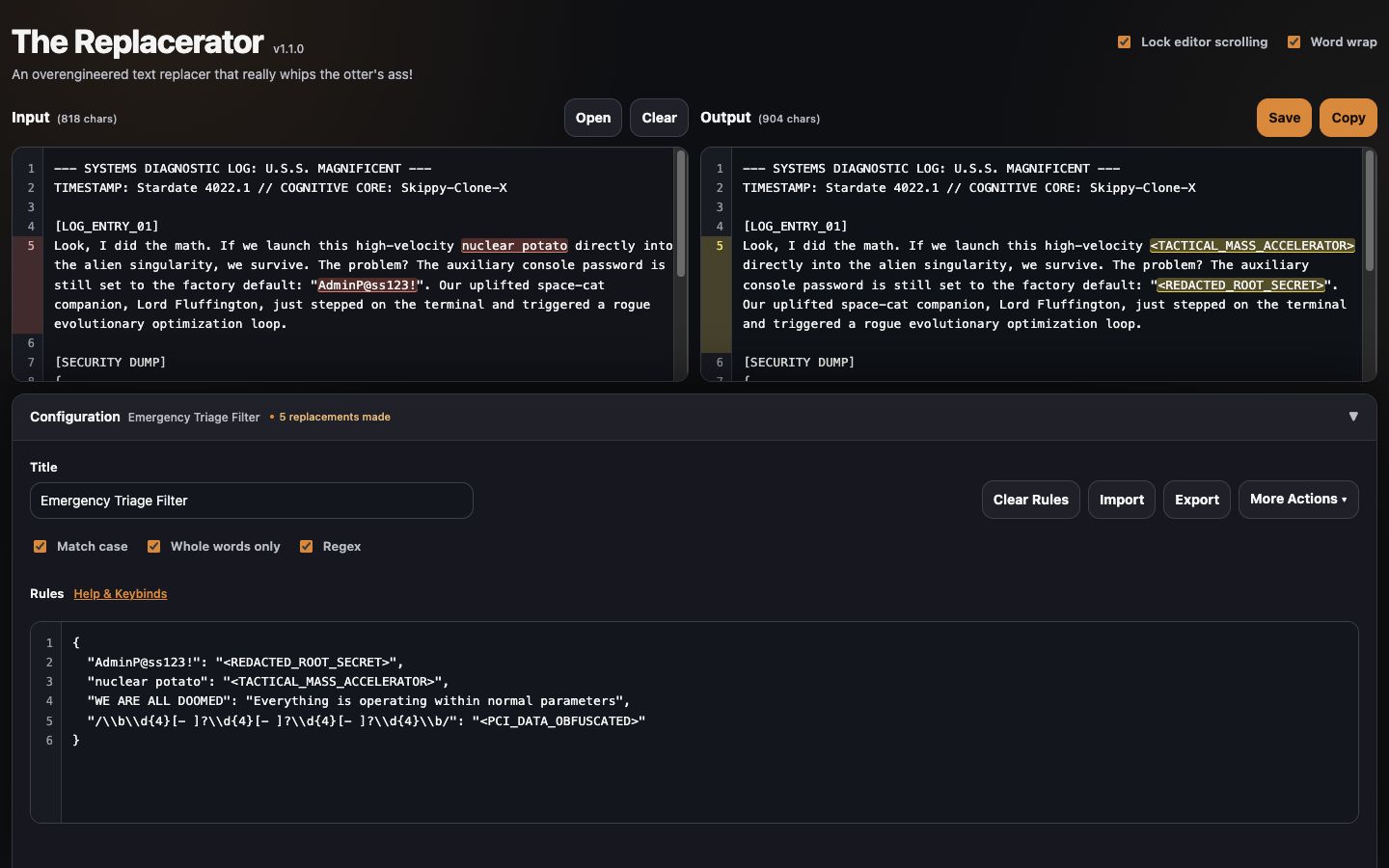
The Replacerator

A local-first text transformation workbench for administrators and technical operators. Preview literal or regular-expression replacements side by side, manage reusable rule sets, and process sensitive content without uploading it anywhere.

For system administrators, migration teams, support engineers, and anyone making repeatable changes across structured text.

AvailableVersion 1.1.0Standalone HTML
  • Offline-first
  • Local processing
  • Literal and regex rules
  • Portable HTML
  • Reusable configurations
  • Side-by-side preview
Launch tool: The Replacerator (opens in a new tab) Download HTML for The Replacerator, version 1.1.0 Product details for The Replacerator

If the file opens instead, use the link menu and choose “Save Link As…” (right-click or press and hold).
Structured activity design

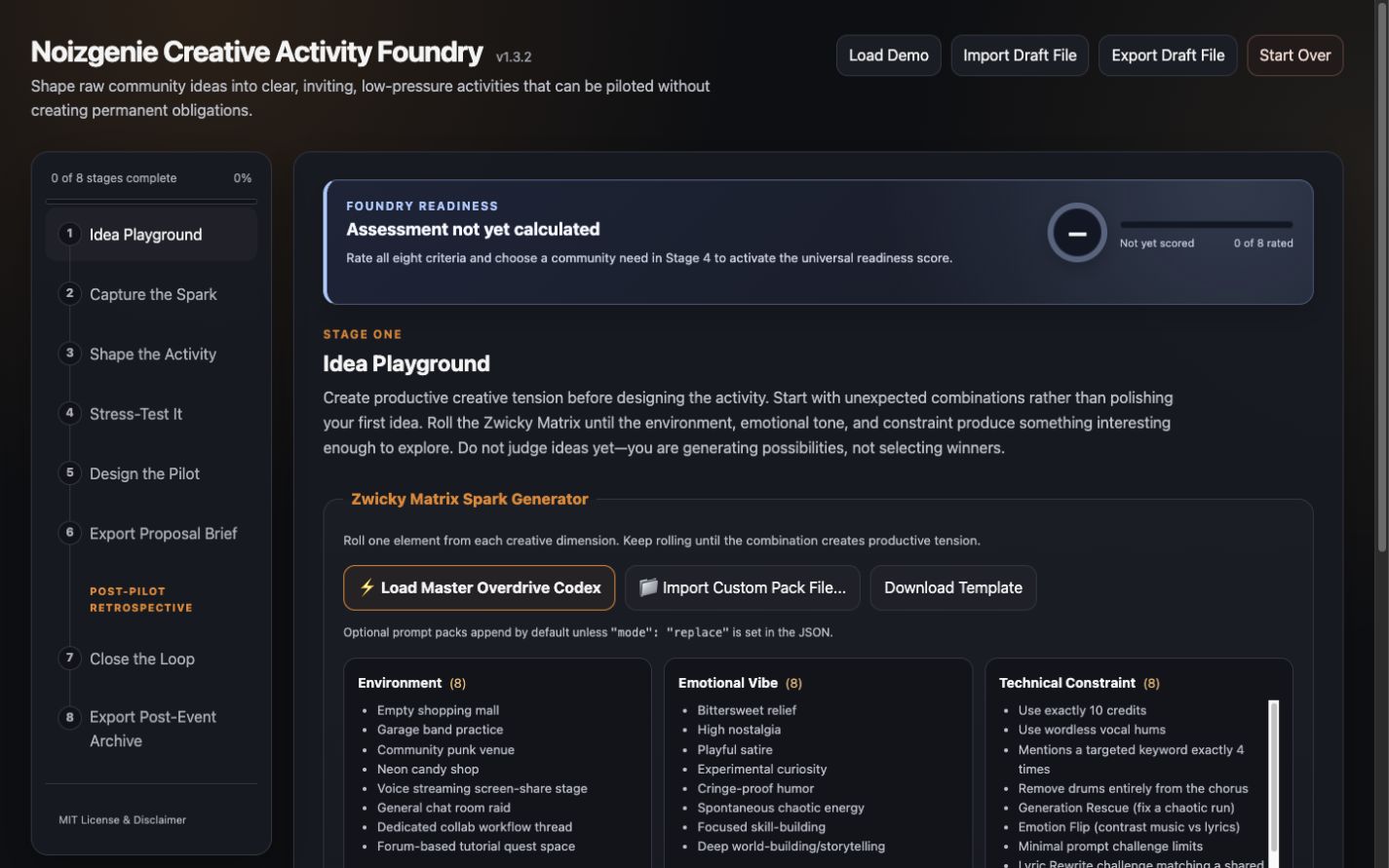
Activity Foundry

A structured design workspace for shaping creative programs, workshops, community exercises, and collaborative experiences—without extinguishing the original spark under layers of planning.

For community organizers, facilitators, moderators, program designers, and volunteer hosts turning an idea into a bounded, inviting activity.

AvailableVersion 1.3.2Standalone HTML
  • Guided workflow
  • Local drafts
  • Exportable
  • Accessible
  • Offline-first
  • Structured activity design
Launch tool: Activity Foundry (opens in a new tab) Download HTML for Activity Foundry, version 1.3.2 Product details for Activity Foundry

If the file opens instead, use the link menu and choose “Save Link As…” (right-click or press and hold).

Shared constraints

Designed to remain useful.

The suite favors portable software, inspectable behavior, and deliberate limits over accounts, integrations, or infrastructure that the task does not need.

01

Local by default

Core work happens in the browser. Sensitive content is not sent to an application backend.

02

No account required

There is no registration path, subscription gate, or identity dependency between the visitor and the task.

03

Portable releases

Finished products are distributed as readable standalone HTML files that can open directly from a device.

04

Accessible interaction

Semantic structure, visible focus, keyboard operation, responsive layouts, and reduced-motion support are treated as product requirements.

05

Resilient operation

Core workflows do not depend on a backend, remote assets, or an uninterrupted internet connection.

06

Readable releases

Standalone downloads keep the complete application in one readable HTML file that visitors can save, open, and inspect.

About the suite

Small software, finished deliberately.

These tools are practical responses to recurring operational and collaborative friction. Each combines product definition, accessible interface design, automated verification, and portable distribution.